TomoGUI Documentation
TomoGUI is a comprehensive PyQt5 GUI for tomographic reconstruction at APS beamline 32-ID. It drives TomoCuPy for CPU/GPU reconstruction, integrates TomoLog for automated reporting, and ships a DINOv2-based AI center-of-rotation (COR) finder that can run across multiple GPUs.
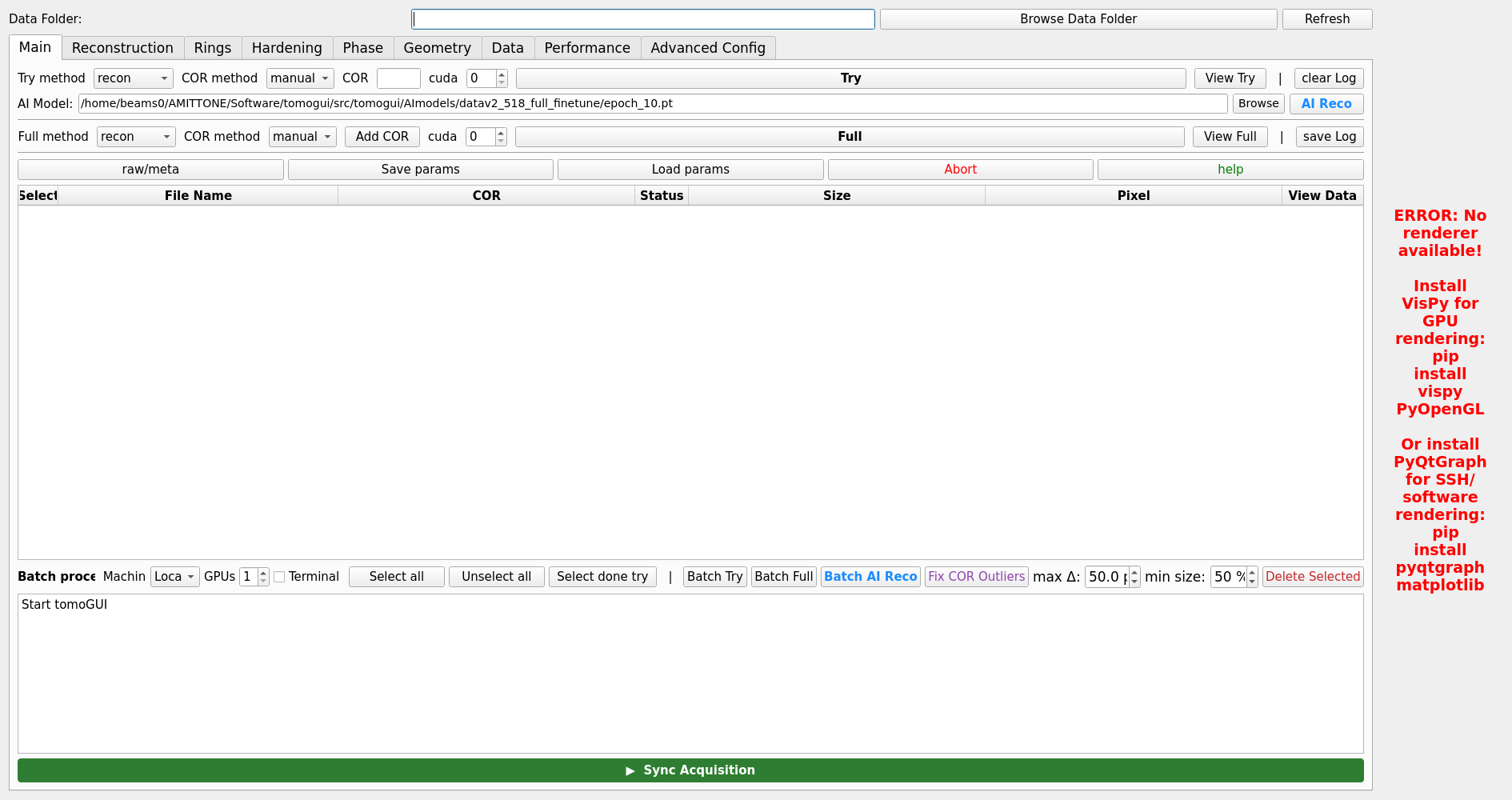
The TomoGUI main window with a dataset loaded and a reconstructed slice on the right-hand preview.


Overview
TomoGUI provides an intuitive interface for:
Interactive reconstruction (Try / Full) on a single dataset
Batch processing of hundreds of datasets with parallel GPU execution
AI Reco — DINOv2-based automatic COR discovery, single-file and batch, with a 3-phase pipeline (Try → multi-GPU Inference → Full)
Fix COR Outliers — detects and corrects bad CORs within filename-based series using median + MAD, capped by a user-configurable max delta
Series-aware batch operations — visual series tinting in the table, auto-skip of undersized files, Shift-click range selection
TomoLog integration — automatic PDF reporting with per-file 5–95 % percentile auto-contrast
Multi-machine support via SSH to remote reconstruction nodes
Persistent layout & per-dataset reconstruction parameters
Bright / Dark theme support

Top tab bar: Main, Batch, HDF5 Viewer, Advanced Config, and auxiliary tools.
Quick Start
Installation
cd /path/to/tomogui
pip install -e . --config-settings editable_mode=compat
Usage
Launch TomoGUI:
tomogui
Or as a Python module:
from tomogui import TomoGUI
from PyQt5.QtWidgets import QApplication
import sys

app = QApplication(sys.argv)
gui = TomoGUI()
gui.show()
sys.exit(app.exec_())
What’s new
Recent additions (see the User Guide and Features sections for detail):
Batch AI Reco with a 3-phase pipeline and true multi-GPU inference (Phase B spawns one worker per GPU, each pinned via
CUDA_VISIBLE_DEVICES).Fix COR Outliers groups rows by filename series (
^(.*?)[._-]*(\d+)$) and flags any COR that deviates from the series median by more than a user-set threshold (default 50 px).Series color tinting — rows belonging to the same filename series share a background tint so they are visually grouped.
Auto-skip small files — within a series, any file with noticeably smaller HDF5 data than its peers is skipped automatically.
Shift-click range selection in the batch table.
TomoLog auto-contrast — leaving Min/Max blank in the TomoLog dialog triggers a 5–95 % percentile auto-contrast per file.
Per-file streaming status in Phase B — each row’s status updates as its file finishes inference, and the progress bar reflects true completion rather than 100 % from the start.
Table of Contents
User Guide
Features
Advanced Topics