TomoLog Integration
TomoGUI integrates with TomoLog to produce automated PDF reports of reconstructions. The integration is accessible both from the Main tab (single dataset) and the Batch tab (many datasets).
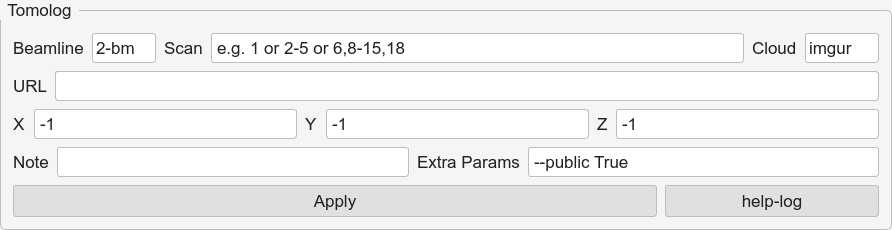
Launching TomoLog
Single file — click TomoLog on the Main tab (or on the right-hand image panel).
Batch — on the Batch tab, select rows and use the TomoLog action; one PDF is produced per file, in the folder configured in the dialog.
Dialog fields
Output folder — where the PDF is written.
Contrast Min / Max — image contrast range fed to TomoLog. If either field is blank, TomoGUI computes a per-file 5 – 95 % percentile contrast and uses those values, which keeps multi-file reports readable when datasets have different absolute intensity ranges.
Extra flags — passed through to
tomolog.
Per-file auto-contrast
The auto-contrast is computed per file, not globally, so heterogeneous batches still render correctly:
For each file:
    data = load_sample_slice(file)
    lo, hi = np.percentile(data, [5, 95])
    run tomolog --contrast-min lo --contrast-max hi ...
If Min / Max are both set explicitly, they are used as-is and no auto-computation occurs.