HDF5 Data Viewer
The HDF5 viewer opens a projection HDF5 file, shows any image slice (optionally divided by the white field with pixel-shift alignment), and lists the full metadata tree. Useful for sanity-checking a raw dataset before spending GPU time on it.
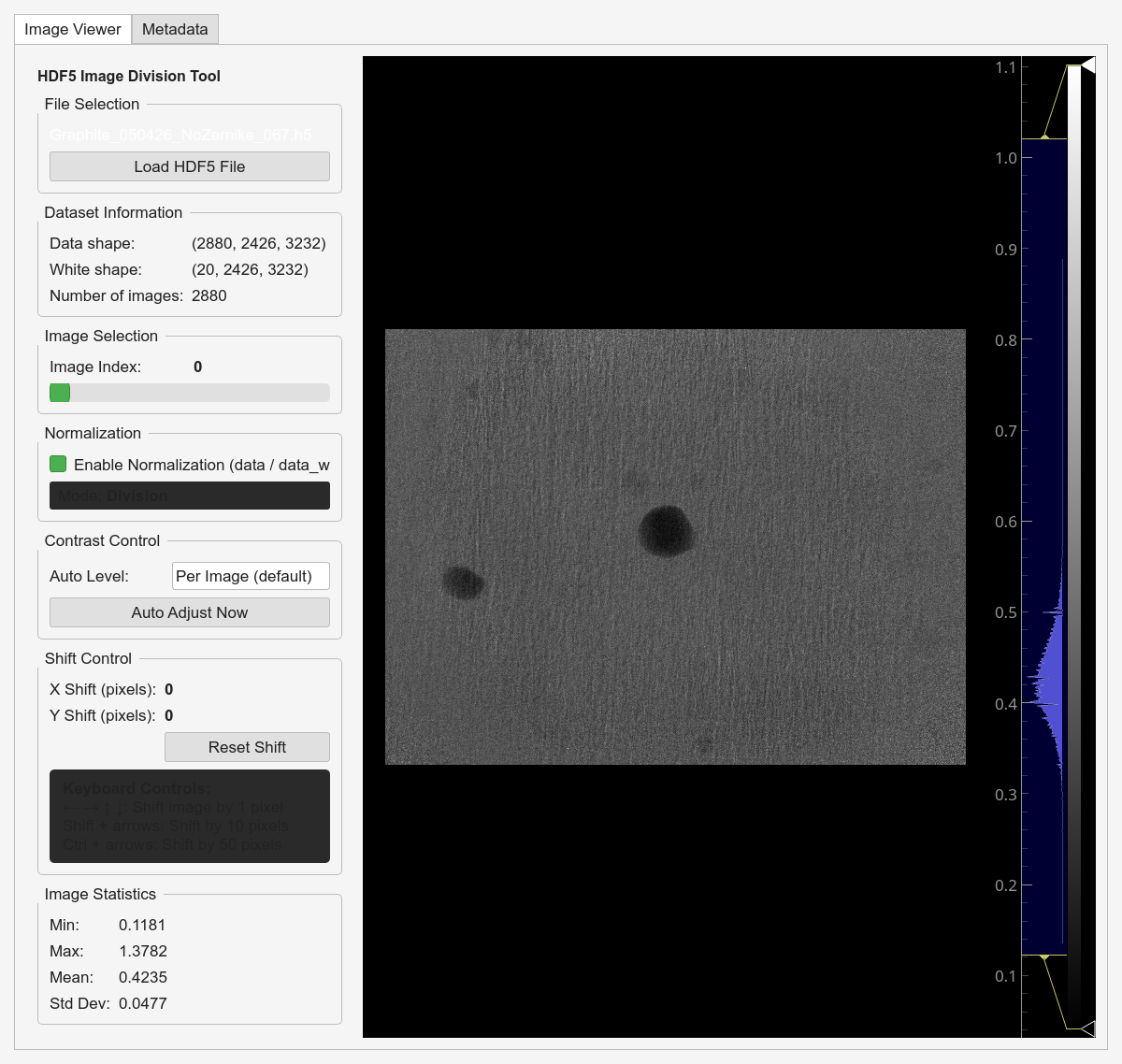
Opening a file
In the Batch table, right-click a row → View Data (or the View Data button). The viewer opens in a separate window for that file.
Image tab
Normalization — toggle
data / data_whiteSlider — pick the projection index
Contrast — Per Image / Min-Max / percentile modes (1–99, 2–98, 5–95) / Manual
Shift — arrow keys nudge the white field by 1 px (Shift +1 → 10 px, Ctrl → 50 px). Useful for checking flat-field alignment.
Statistics — min / max / mean / std of the current slice.
Metadata tab
Attributes — searchable table of every HDF5 attribute with its value and dtype. CSV export.
File structure — tree of groups and datasets with shapes / dtypes.
Expected structure
/exchange/data         3D projection stack (required)
/exchange/data_white   3D white field stack  (required for normalisation)
Additional groups under /process, /measurement, /instrument
are displayed but not required.
Common failures
- File won’t open
Check
ls -laandh5lson the file. Usually permissions or an in-progress write.- Missing
/exchange/dataordata_white Not a standard tomography HDF5 layout. Look in the Metadata tab for the actual dataset names.
- Slow to navigate
Some datasets have uncompressed per-projection chunks that force a full re-read for every slide. Try the viewer on a binned copy.