Installation
Requirements
Python Version
TomoGUI requires Python ≥ 3.8. It has been tested up to Python 3.12.
Core Dependencies
PyQt5 ≥ 5.15 — GUI framework
numpy ≥ 1.20
matplotlib ≥ 3.5
Pillow ≥ 8.0
h5py — HDF5 access
tifffile — try-center TIFF output
psutil — process / subprocess management
External Tools
TomoCuPy — GPU-accelerated reconstruction (required for Try / Full / Batch reconstruction)
TomoLog — optional, for PDF reports
CUDA (≥ 11) — for GPU acceleration
AI Reco
The AI center-of-rotation finder uses a bundled copy of the
tomocor_infer inference code in src/tomogui/_tomocor_infer/, so you
do not need to install tomocor separately. You do need:
torch with CUDA support (matching your CUDA runtime)
timm (DINOv2 backbone)
a trained model checkpoint (
*.pth) reachable from the machine running inference
Installation Methods
From Source (recommended)
Clone the repository and install in editable-compat mode (so upgrades via
git pull take effect without reinstalling):
git clone <repository-url>
cd tomogui
pip install -e . --config-settings editable_mode=compat
Using Conda Environment
Create and activate a matching environment first (typical beamline setup):
conda env create -f environment.yml
conda activate tomocupy

pip install -e . --config-settings editable_mode=compat
Note
If you previously installed TomoGUI into site-packages as a copy
(non-editable), uninstall it first so the editable install is picked up:
pip uninstall tomogui -y
rm -rf $(python -c "import site; print(site.getsitepackages()[0])")/tomogui*
pip install -e . --config-settings editable_mode=compat
Verifying Installation
tomogui --version
tomogui
If the main window opens and the Browse Data Folder button responds, the installation is complete.
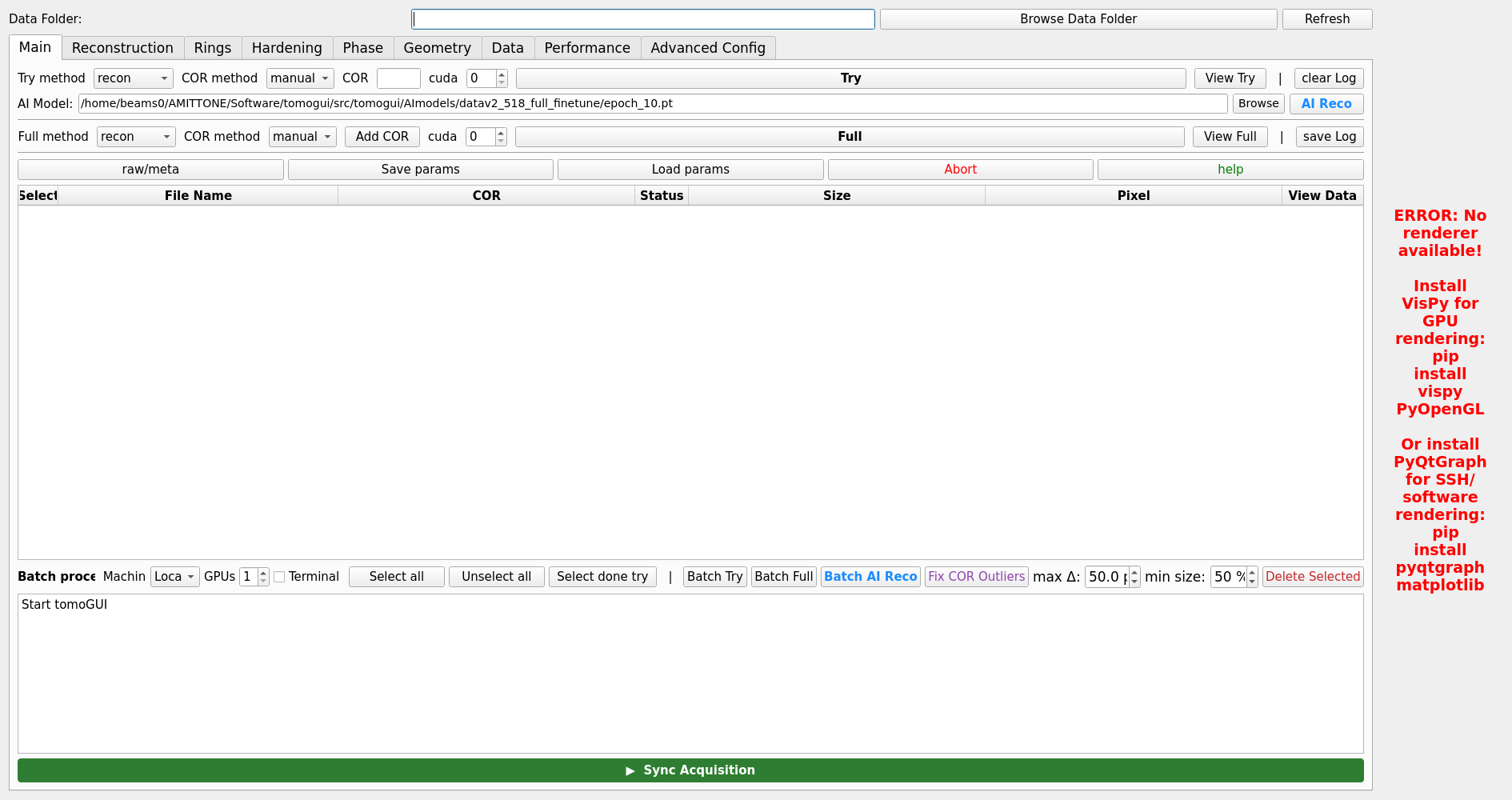
Main window on successful launch.
Troubleshooting
Qt Platform Plugin Issues
If you see errors about Qt platform plugins (common on remote nodes):
export QT_QPA_PLATFORM_PLUGIN_PATH=""
# or, for a pure offscreen render:
export QT_QPA_PLATFORM=offscreen
PyQt5 Import Errors
pip uninstall PyQt5
pip install PyQt5==5.15.9
CUDA Issues
nvidia-smi # should list all GPUs
Install the CUDA version matching your torch build. For multi-GPU Batch AI
to work, nvidia-smi must list every GPU you plan to use.
AI Reco model not found
In the Advanced Config tab, set AI model path to an absolute path reachable from the reconstruction host. If you use SSH to a remote node, the path must be valid on the remote node, not on your workstation.